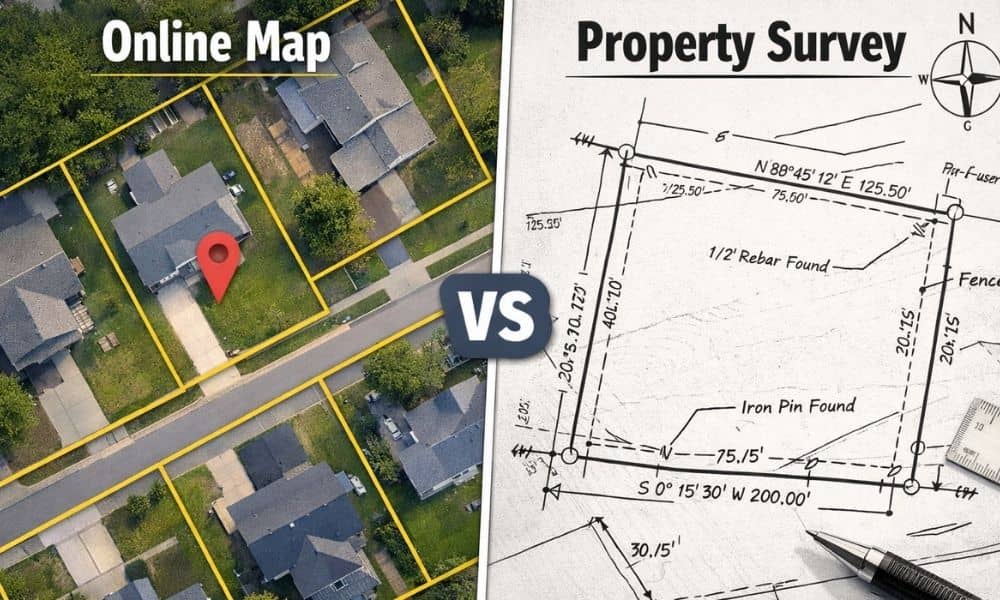
Many people look at online maps and assume the boundary lines they see must be correct. After all, the image looks detailed. The parcel lines appear sharp. The corners seem exact. So when a property survey shows a slightly different boundary, confusion starts right away.
However, this situation happens more often than most buyers and homeowners expect. It does not mean the survey went wrong. It usually means the map and the measurement come from two very different systems.
Online maps help with viewing and navigation. A property survey proves location using field measurements and legal records. Because these methods work differently, small gaps between them appear. Once you understand why, the difference makes sense — and it becomes much less alarming.
Online Maps Focus on Visual Display, Not Legal Accuracy
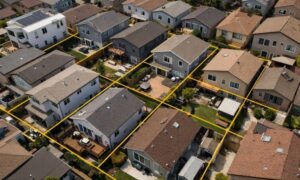
Online mapping platforms build their images for speed and broad coverage. They pull aerial photos, public parcel layers, and scanned drawings from many sources. Then software places boundary lines on top of those images.
That process creates a helpful visual reference. Still, it does not create a legal boundary line.
In many cases, parcel lines online come from older tax maps or traced plats. Someone digitized them years ago. The lines look clean on screen, yet they often sit a little away from their true ground position. Even a one-foot shift looks perfect at neighborhood scale but shows up when someone measures carefully.
So the map serves as a guide — not proof.
A Property Survey Measures the Ground, Not the Screen
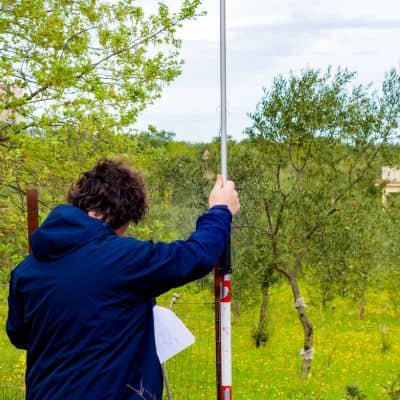
A property survey starts in the field, not on a computer screen. Surveyors visit the site with instruments. They measure angles and distances between points. They search for monuments, markers, and boundary evidence. At the same time, they study deeds and recorded documents.
Then they connect the field measurements with the legal descriptions.
Because of that process, a property survey reflects physical position on the land itself. It does not depend on image alignment. It does not depend on zoom level. It does not depend on graphic overlays.
Instead, it depends on measurement and math.
That difference alone explains many disagreements between surveys and online maps.
The Shape of the Earth Creates Small Map Distortions
This part surprises many property owners. The earth curves, yet every online map must display on a flat screen. When mapping systems flatten curved surfaces, tiny distortions happen.
Survey coordinate systems account for that curvature very carefully. Meanwhile, web maps stretch imagery so it displays smoothly and loads quickly. That stretching introduces slight position shifts across an area.
Think about flattening a globe onto paper. You must stretch some parts and compress others. Even the best projection methods cannot remove all distortion.
As a result, two correct systems can still show slightly different plotted positions.
Aerial Images Look Precise — But They Still Shift
Aerial and satellite images also create alignment differences. Aircraft and drones capture thousands of overlapping photos. Software blends those photos into one seamless image. During that blending process, small offsets occur.
Camera angles change. GPS positions drift slightly during flight. Ground elevation varies. Lens effects bend edges. Even when software corrects these factors, tiny errors remain.
For example, a driveway corner in the photo may not sit exactly where field measurements place it. The image looks sharp, yet the position still shifts a bit.
Therefore, when a property survey line does not sit directly on top of a visible fence in an aerial image, the photo usually causes the mismatch — not the survey.
Parcel Data Online Often Trails Real-World Changes
Land changes faster than map databases update. New subdivisions appear. Lots split. Boundaries adjust. Easements get recorded. However, parcel layers online update on slower cycles.
Because of that delay, your online parcel view may show an older layout. Meanwhile, a surveyor researches the newest recorded documents and checks current field evidence. The survey reflects today’s legal condition, not last year’s database snapshot.
Timing alone creates many map disagreements.
Zooming In Can Move the Line You See
Here’s a simple test you can try. Open an online parcel map and zoom in and out several times. Watch how the boundary line shifts slightly as the scale changes. The software redraws the line for each zoom level.
The land never moved — only the drawing changed.
That behavior shows why screen position should never guide building or boundary decisions. Visual tools adjust for display. Survey measurements stay fixed.
Professional Survey Standards Prevent “Map Matching”
Some clients ask whether a surveyor can adjust lines to match what they see online. Professional standards do not allow that. Surveyors must preserve measurement integrity. They cannot slide a boundary just to fit an image.
Instead, they verify their control points and confirm their calculations. If imagery does not align, they keep the measured position.
That rule protects property owners. It keeps surveys defensible if questions arise later. Accuracy matters more than visual agreement.
What This Means for Buyers and Homeowners
When you see a difference between an online map and a property survey, treat it as a signal — not a problem. It signals that one source shows an estimate while the other shows measured reality.
Online maps help with planning and orientation. They answer “where roughly?” A property survey answers “where exactly?”
That exact answer matters when you buy land, build improvements, install fences, or resolve boundary concerns. In those moments, measurement beats imagery every time.
So if your survey lines don’t match the map, don’t panic. Instead, recognize the reason. One tool draws pictures fast. The other measures land carefully. Only one of them proves where your boundary truly sits.